| |
|
Astrophotography Software
There are now hundreds of astrophotography related
software tools. Here we will list the most popular for the typical amateur
enthusiast. Generally, you get what you pay for, but there are also some
excellent free (really, totally free) choices. The software reviewed here will
equip you to:
- Image Capture:
- Set-up a exposure
sequence ( # of images, exposure duration)
- Preview captured
images
- Focusing aides
(not all have this feature)
- Post-Processing
- Calibrate (darks,
bias, flat frames) images
- Align multiple
images
- "Stack" (combine)
into a single image
- "Stretch"
(brightness/contrast), basic noise reduction, sky-glow reduction
- Autoguide
If you plan on acquiring a purchased solution, we suggest you give serious
thought to your future needs as many buy a less expensive tool only to find that
they need to buy the more expensive one later on.
If you are a beginner using a DSLR camera, we suggest you start with the FREE
software such as Deep Sky Stacker or RegiStax . Generally, free software works
quite well, but support (learning aids, tutorials, etc.) is lacking and most do
NOT permit the use of the "Live View" feature of DSLR cameras (MaximDL and
ImagesPlus do). The good
news is that there are literally hundreds of Newsgroups that will help you with
any questions.
Having said that, if you are confident that you can put in an effort to get
beyond the "learning curve" (lots of patience required) we strongly suggest
buying ImagePlus software (see
description below). The learning curve will be "less steep" without breaking the
bank.
In addition to the software tools listed here, Adobe Photoshop should be
considered a mandatory prerequisite. Photoshop is typically used as the final
step in processing astronomy images. If you are new to Photoshop, we suggest
that you enroll in a basic Photoshop class available in many communities as a
common "continuing education" course and is fairly inexpensive. Photoshop is
very "powerful" and as such can be quite complicated to learn if you don't have
a good understanding of the most basic functions.
Before buying any software, we do suggest you prioritize your investments in
this order:
1) DSLR Camera with "Live View" - Canon is the most popular for good reason.
Nikons do work but can't do a proper "dark frame".
2) Equatorial "Go-To" Mount - You can do it with a "fork-mount" (wedge required)
but it is considerably more difficult. Many of us have "been there, done that".
3) Guide Camera & Scope - even a well aligned mount can't do exposures greater
than 30-60 seconds without one. Consider the
KWIQ
Guider Package.
4) Laptop computer - nothing fancy, Netbooks work fine. The LCD display on your
camera just isn't good enough for previewing (focus, framing) dim objects
5) Software
Backyard EOS Image capture
only: $
24.00
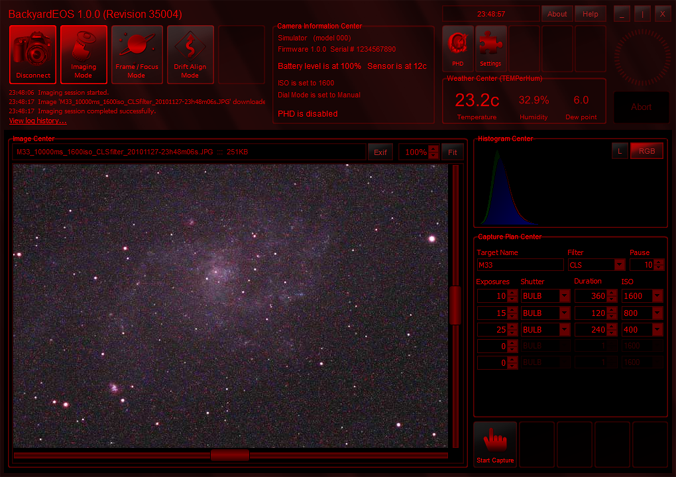
This is a pretty slick image capture software that is specically designed
for Canon EOS cameras. It has some nifty features such as:
- Frame & Focus: Measures and displays star
size permitting fine focusing
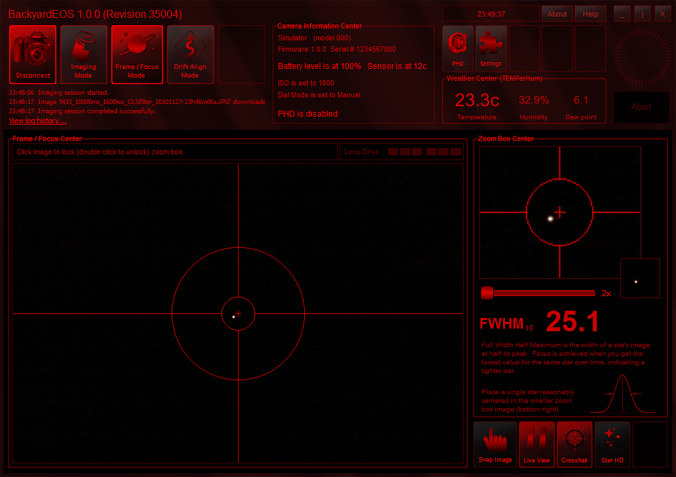
- Integrated with PHD Guiding software and permits "dithering".
Dithering is a technique used by the Pros that shits the mount a few
pixels between each image and prevents "hot
pixels" from appearing in the final "stacked" image.
This software is perfect
for the astrophotography beginer and at ony $ 24.00 it is a bargain!
The only downside is that
it does NOT include any post-image-capture features such as calibration
(darks, bias, flats), align and stack. But there is plenty of free software,
such as Deep Sky Stacker, that can do that.
Images
Plus - Image capture, post-processing $
230.00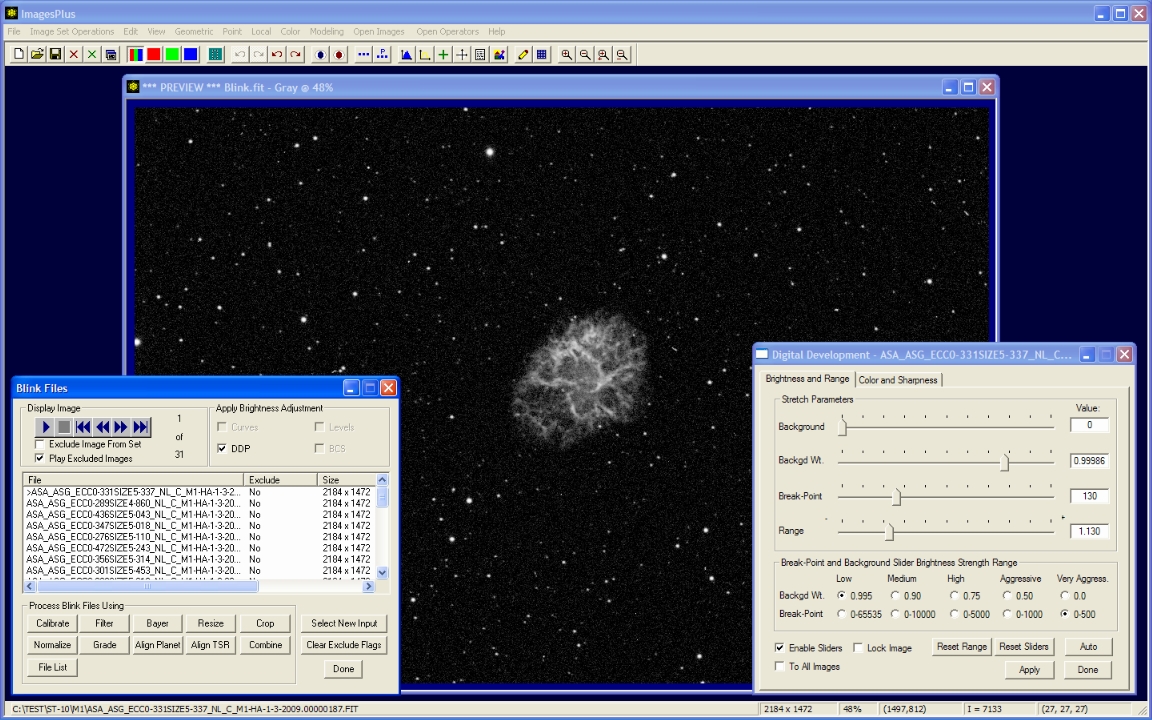
Images Plus is likely the most popular software
choice for beginners and intermediate astrophotographers. It is also the easiest
to learn thanks to the video tutorials and an intuitive user interface. The
software is frequently updated to accommodate new cameras coming on the market and
software upgrades are reasonably priced.
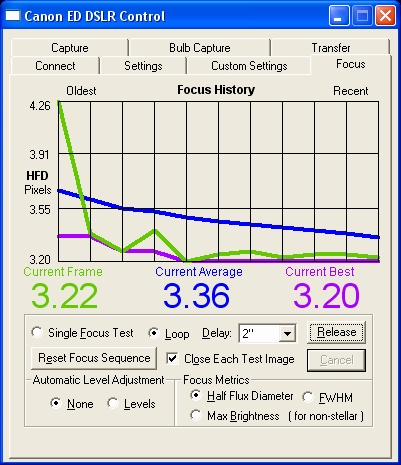
Image capture and post-processing tools are similar to MaximDL and it also an
"autofocus" feature that works great and even includes temperature compensation
capability (motorized focuser required).
Camera capture accommodates most cameras including DSLR and CCD Colour/Monochrome
with motorized filter wheel support and CCD temperature control.
While the camera capture function does support monochrome cameras, most would
agree that MaximDL is better suited to post-processing of monochrome (LRGB)
images.
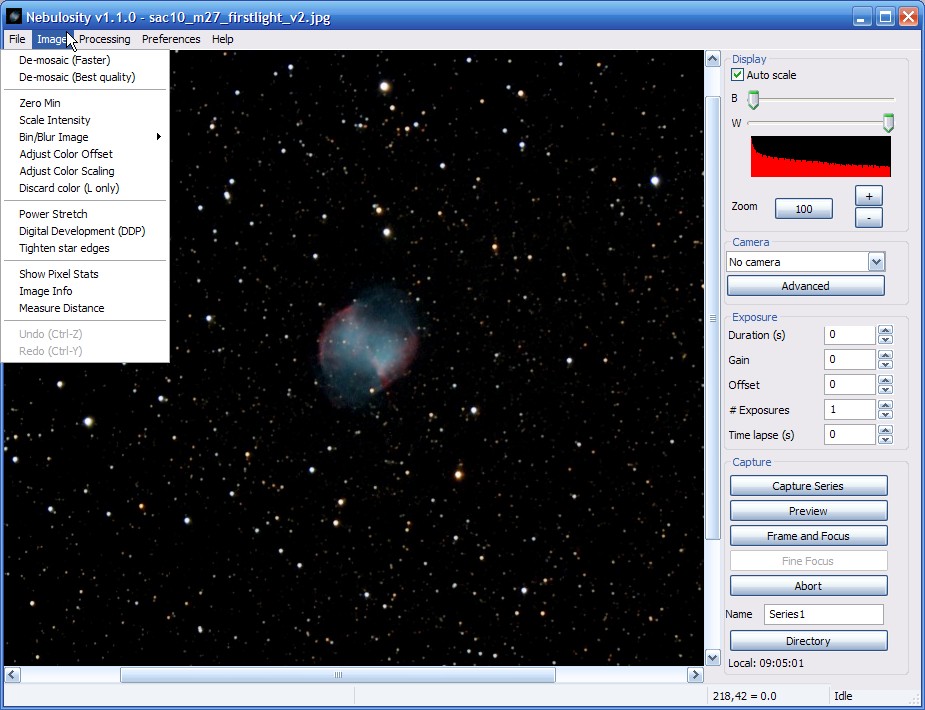
Nebulosity - Image capture, post-processing $
60.00
Nebulosity is a fabulous, inexpensive, package developed by Craig Stark who is
also the developer of many popular FREE tools such as PHD Guiding and Craterlet
(a fantastic webcam capture tool perfect for imaging Planets).
Nebulosity has most of the features as ImagesPlus but is not quite as slick.
Many astrophotgraphers use Nebulosity for camera capture in combination with
FREE image processing (Deep Sky Stacker for example) software for post
processing.
Nebulosity also has several unique features that are quite handy:
- "Frame and Focus" is a very handy tool for performing the mount alignment
process where you use your camera instead of an eyepiece (much more accurate).
- Universal FITS file conversion. For example, FITS files created by MaximDL are
NOT compatible with ImagesPlus but Nebulosity can convert them to either format.
A big bonus is that software upgrades are FREE. At only $ 60.00 for a new user
license, Nebulosity is a handy thing to have even if you decide to purchase one
of the higher-end products.
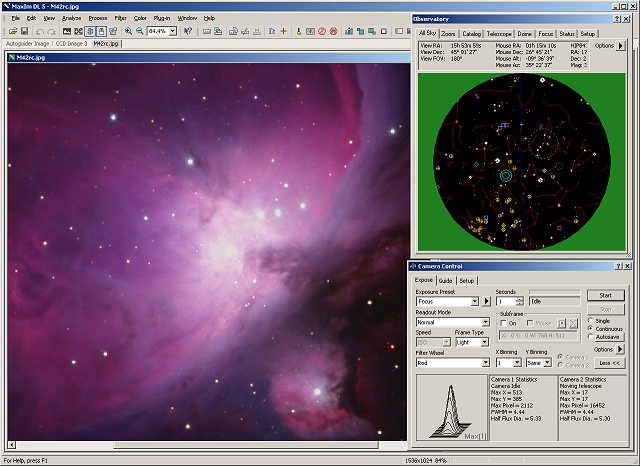
MaximDL
- Image capture, post-processing, observatory automation $ 199 - $ 599
MaximDL is without doubt, the most powerful (and
expensive) software suite available. It is also the most popular tool used by
serious amateurs and professional institutions. Like other software tools, it
has image capture and post-processing functions but it also incorporates
(Pro/Suite versions only):
- Built-in planetarium (connects to your mount)
- Focus automation (ASCOM focus motor required)
- Plate-solve (perfects your mount go-to accuracy)
- Instrument rotator automation (ASCOM motor required)
- ASCOM Dome automation
Even if you don't have a permanent observatory with motorized dome automation,
the benefits of some of the automation features cannot be underestimated. For
example, centering your object in the image frame can be quite time consuming.
When MaximDL connects to your camera and mount MaximDL is able to analyze
("plate-solve" via Pinpoint plug-in) the stars in a 10 second image and compares
it to a star catalogue and is able to calculate what movement of the mount is
needed to centre the object.
Another feature unique to MaximDL is the ability to align images for stacking
even after a "meridian flip" or images gathered over different dates. This is
possible because when MaximDL is connected to the mount, each image file
includes data about the mount position (RA/DEC co-ordinates). Later, when you
are ready to align/stack your images MaximDL can use mount position data to
align stars in each image even if the image frame is not an identical field of
view.
MaximDL is also able to integrate with other software such as FocusMax, TheSky,
CCD Autopilot, ACP.
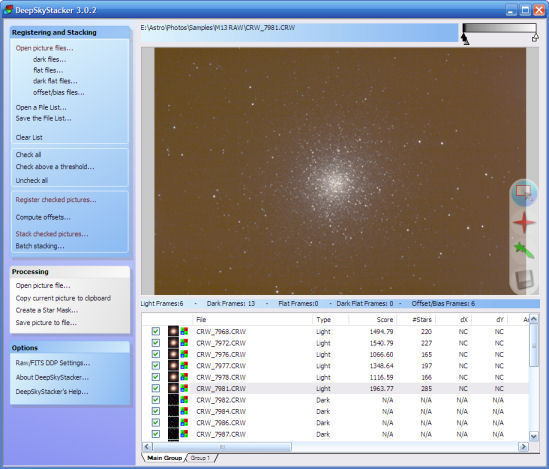
Deep Sky Stacker
- Post-processing $
FREE!
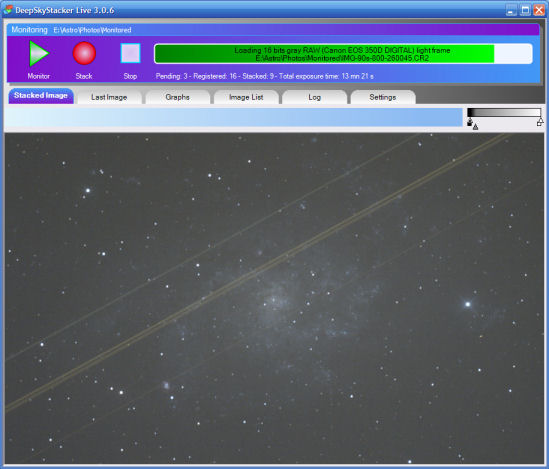
Deep Sky Stacker is a single purpose program.
It does image calibration, align, combine, it works just as well as the
purchased software. It is primarily used with DSLR or "OCD" (CCD single shot
colour) cameras.
It does NOT do image capture or post-processing "digital development". It is
strictly a align & stack tool. But many astrophotographers who already own
purchased software prefer the result they get from DSS. A common problem is
where multiple images experienced an interruption and the object has drifted.
But Deep Sky Stacker does an amazing job at figuring out how to line the stars
up and produce an amazing image.
Deep Sky Stacker LIVE is also included in the FREE software. This is handy
because as new images are download new images are "stacked" so you get an even
better preview of what your final image will look like. Each new image makes the
preview better and better.
PHD Autoguiding
- $
FREE!
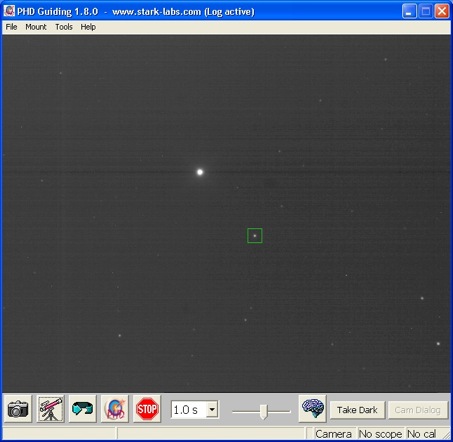
PHD stands for "Push Here Dummy" and it is without a
doubt, one of the best inventions ever devised! 9 out of 10 astrophotographers
use the excellent FREE software to perfect mount tracking during long exposure
astrophotography.
Most first-time users are get confused about how to get it running for the first
time because they expect it to be more complicated than it really is. The camera
connects to your computer (USB) and the guide cable to the guide port on your
mount. When you start-up PHD and connect the camera and mount, you simply let it
start taking a picture every 1-3 seconds. Pick a semi-bright star and click on
it. Then click on the "PHD" button and it will begin doing a "calibration".
What is calibration? PHD needs to calculate the orientation of your camera
(there is no "right-side-up") vs. the RA/DEC position. So it simply goes
"pushes" the mount in one direction and calculates the direction and distance
that the star moved. It does several iterations of this in all 4 directions. It
can take 5-10 minutes to calibrate and when its finished it now knows how much,
and in which direction to move the mount during actual guiding.
It just doesn't get any easier than this and it's FREE!
| |